Keep the joy in teaching.
Random draws, balanced groups, timer, board display, and many more tools for a fairer, livelier classroom.


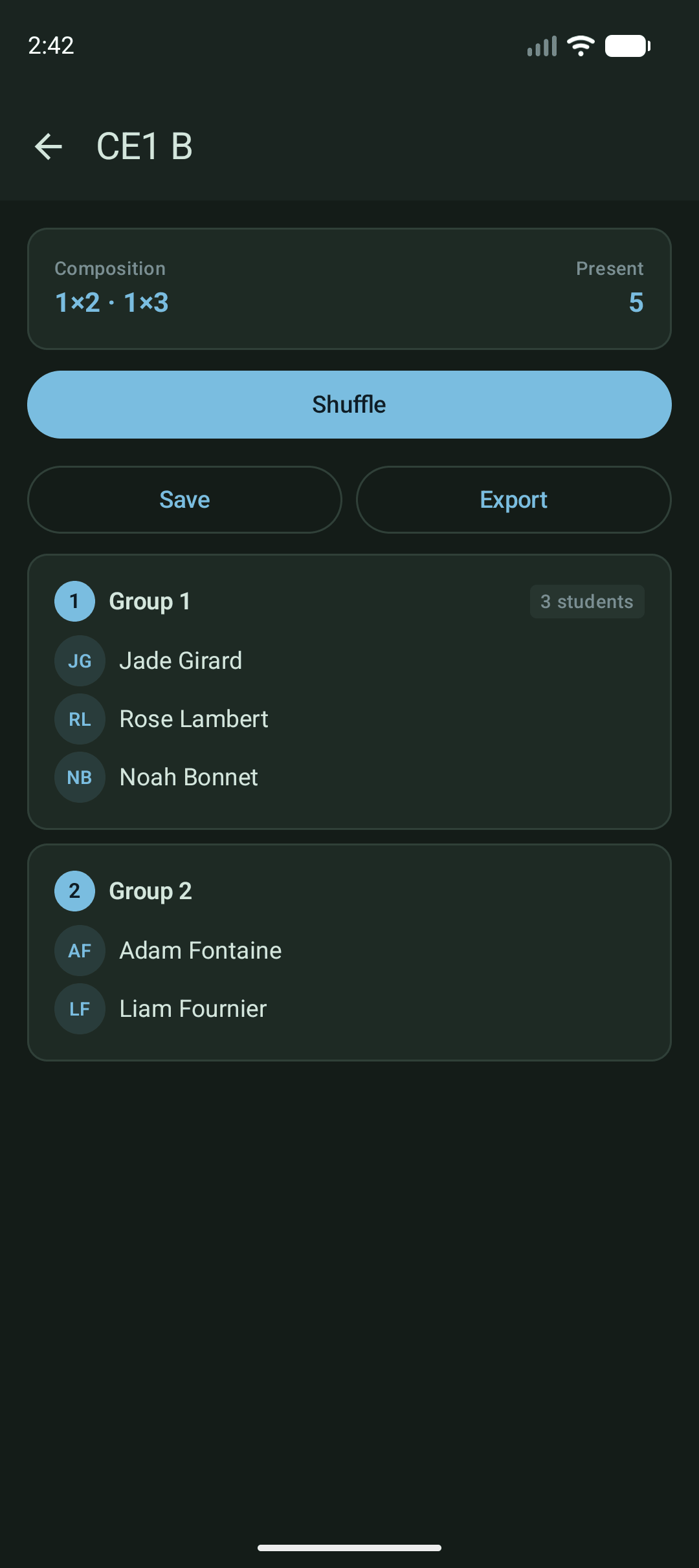
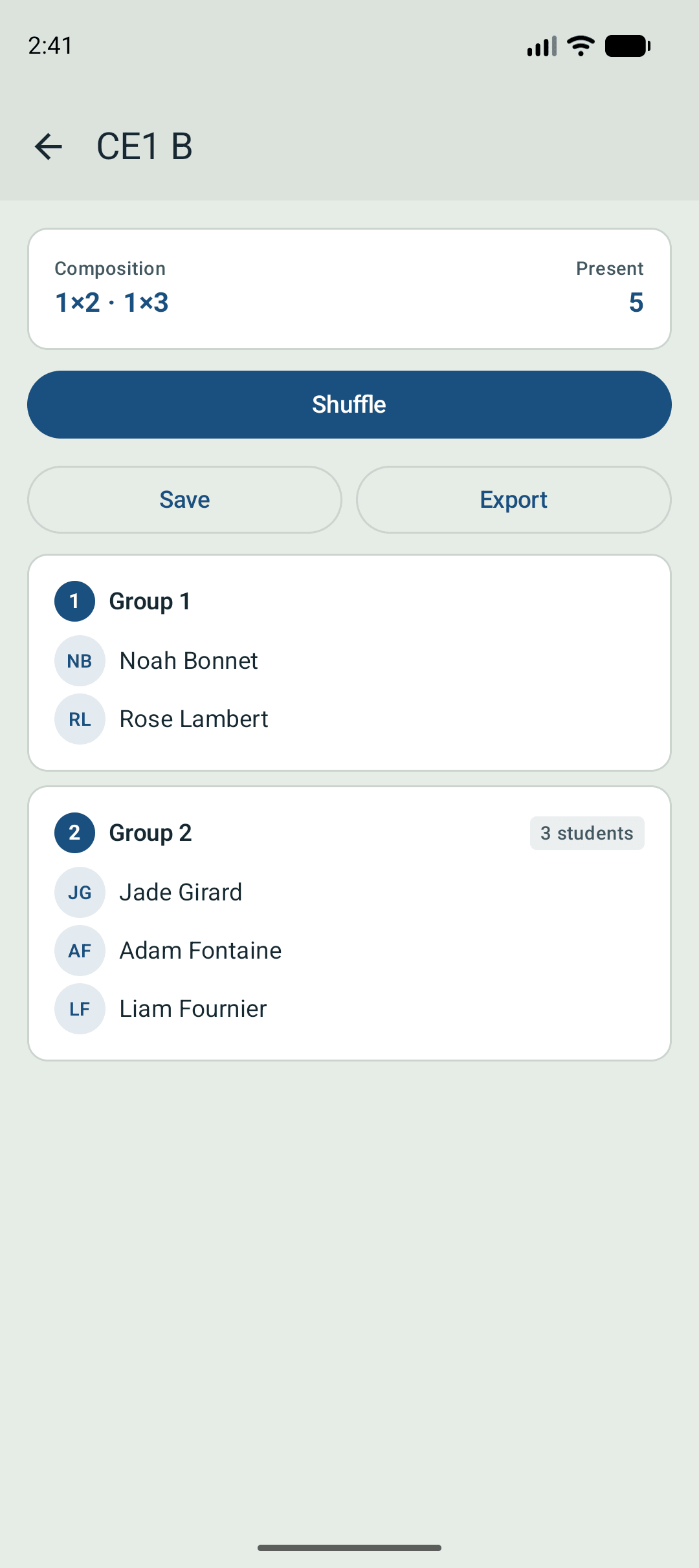
Your classrooms, your students.
Every classroom and every student in one place. Find what you need at a glance, without juggling three different tools.
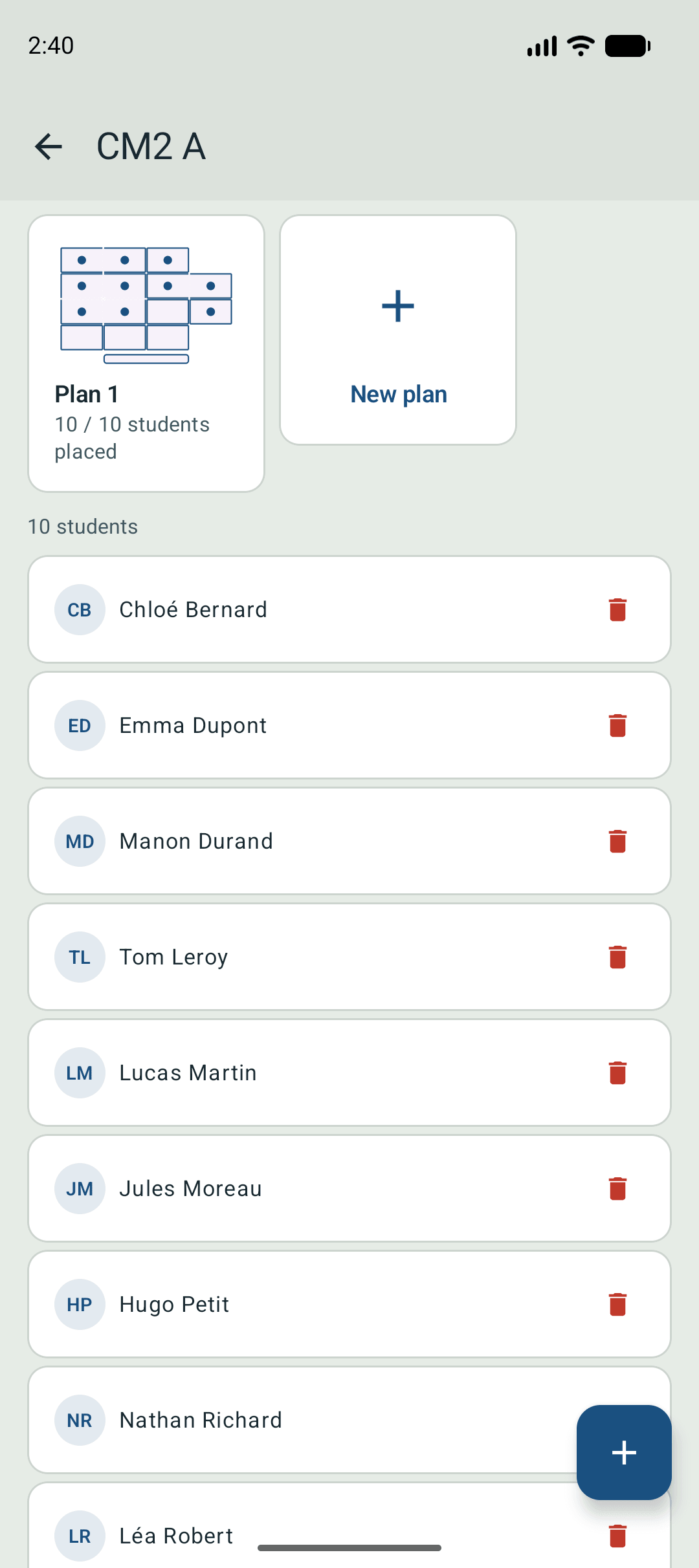
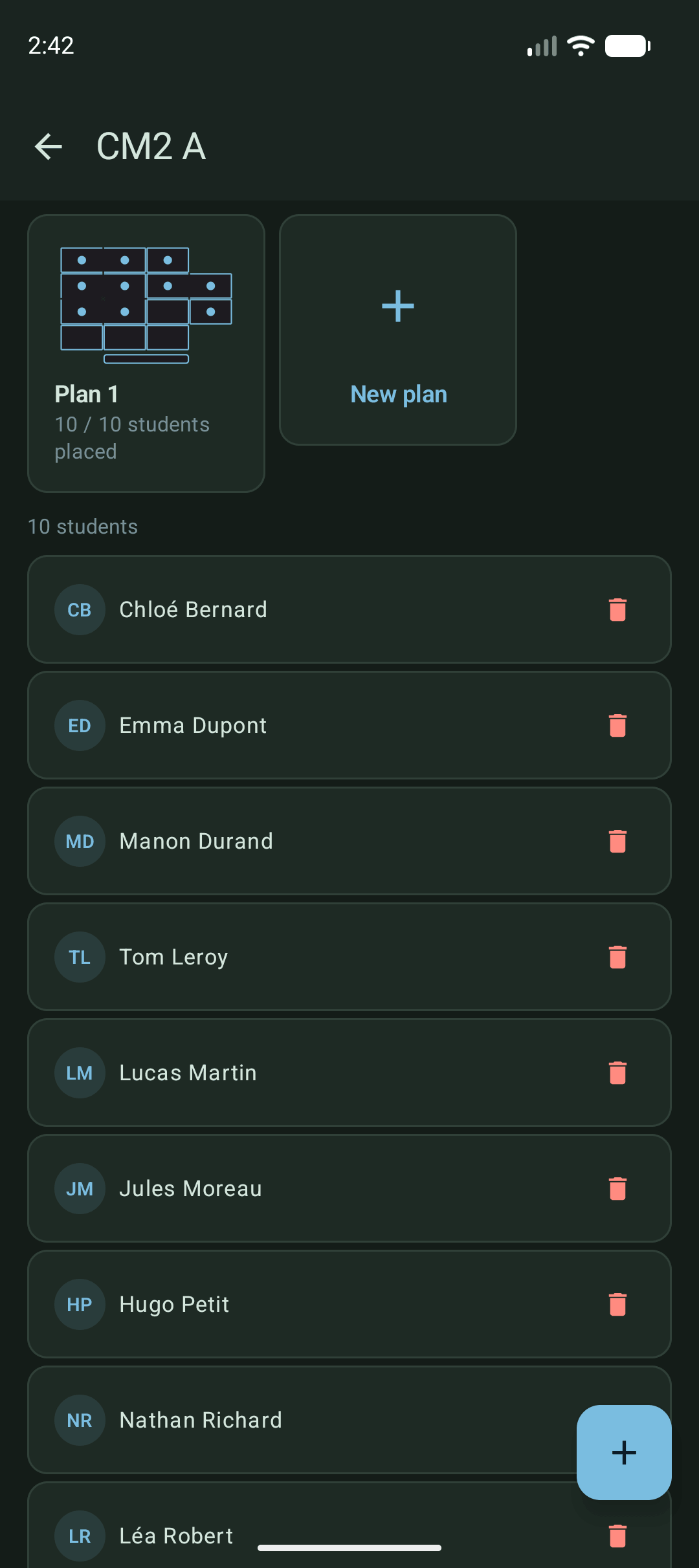
Pick and group, no hassle.
You set the rules, the app handles the balance. Drawing a name or forming balanced groups takes just a few seconds.
Your room, the way it really is.
Recreate your classroom’s real layout, clusters and pairs included. Place students with a drag, or let the app do it. Keep as many plans as you need: lesson, lab, exam day.
From phone to board, in seconds.
Scan a QR code or type a short code, and your phone appears on the board. Draws, groups, the timer and many more tools: everything is readable from the back row. Nothing to install, no cable to plug in.
 web.laboiteaprofs.fr
 A timer built for exams.
Set the exam duration on your phone, enable extended time when needed. The board automatically shows the current time and the exact end time. On the board, your students see the end time, not a countdown.
Frequently asked questions
Is it free?
Yes, completely free. No ads, no subscription, no in-app purchases. Built on spare time, for and with teachers.
Where is my data stored?
The information about your classrooms and students stays on your phone: no user database on any server, no cloud sync. To learn which features are most used, the app sends anonymous usage statistics (no personal data of any kind) to a server we host ourselves, alongside anonymous crash reports. Full details in the privacy policy.
Does it need an internet connection?
Not for daily use: draws, groups, classrooms, students, timer, all works offline. A connection is only needed for the board display, to bridge your phone with the browser.
How do I suggest a feature or report a bug?
Email contact@laboiteaprofs.fr. Every message is read, and good ideas often ship in a future update.
Is the board display complicated to set up?
Nothing to install on the computer. Open web.laboiteaprofs.fr in the browser on the board, scan the QR code from the app, and you’re in.
Ready to try?
Available on iOS and Android, free.